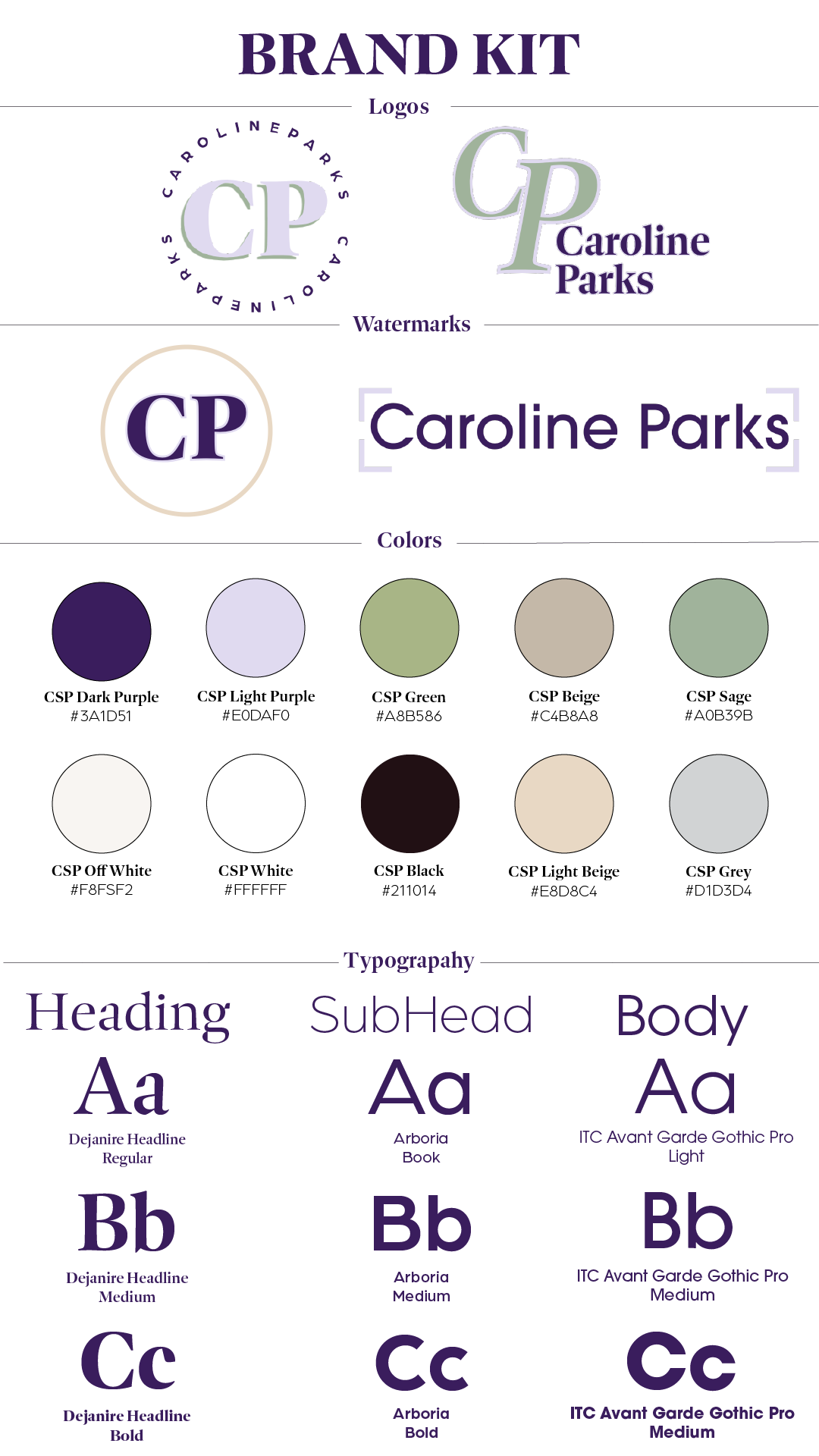
I began the project by selecting the colors and fonts that would define my brand kit. Since purple is my favorite color, I knew I wanted it as a primary element and chose complementary shades to balance it—green proved to be the best match after experimenting with a few options. To add contrast, I incorporated lighter tones that paired well with both colors. Choosing fonts was a simpler process; using Adobe Fonts, I selected Dejanire Headline for a serif look similar to Times New Roman, along with Aboria and ITC Avant Garde Gothic to bring a casual, fun vibe. With these foundational elements decided, I used Adobe Express to create two logos and two watermarks, each reflecting different aspects of my brand—some more casual, others more professional. I then brought all the elements together in Adobe Illustrator using the Brand Board Kit Template, customizing it to reflect my design choices and adding logos, watermarks, color codes, font styles, and intended uses.
To complete the branding suite, I designed a creative resume, LinkedIn header, and business card—all using Adobe Express. I began by customizing a resume template with my brand’s fonts and colors, adding a “relevant skills & certifications” section to showcase my abilities. For my LinkedIn header, I kept things minimal and professional with a simple logo, outline, and a “let’s connect” callout placed around the profile picture area. Finally, for my business card, I featured my favorite logo on the front, maintained design consistency with the green outline, and used a watermark on the back with my contact info, school affiliation, and a placeholder QR code. Overall, my goal was to strike a balance between creativity and professionalism, with a brand suite that appeals to both potential employers and younger audiences who value bold, modern design.
 Caroline Parks